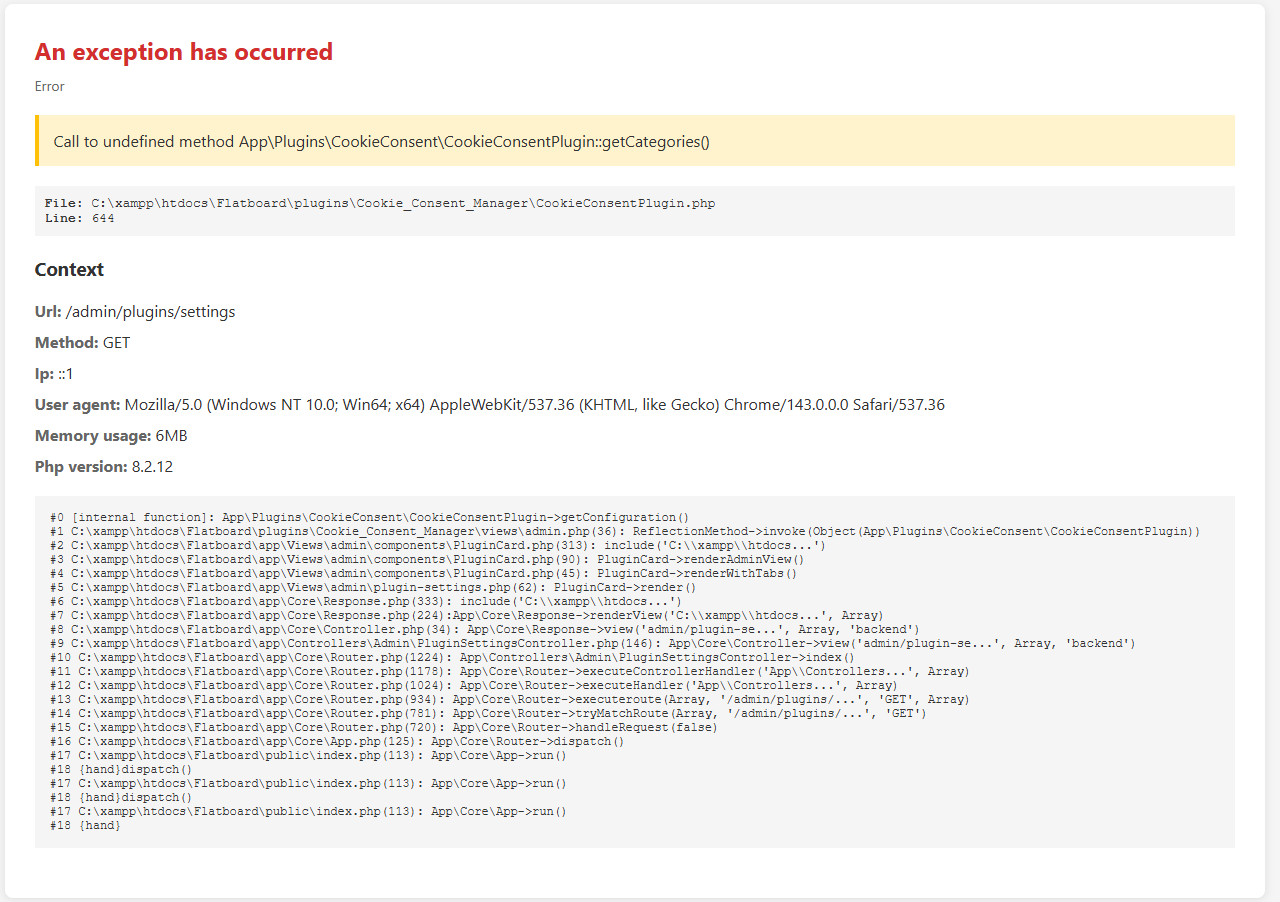
Logger has no Settins Page.

Solved by Fred · 22 Jan 2026 19:26
Avatar
Posts 101 507

The Logger Plugin shows no configuration_form.

Thanks,

  • Logger Admin Configuration solved
Avatar
Posts 75 297

JPRuehmann

I don't think its meant to have a settings page. The only time that shows up is if there is plugin object in the plugin.json of the plugin

plugin:{

}

Since it doesn't have one, it's not going to have a settings.

Edited on  Jan 15, 2026  By  Fred .

Avatar
Posts 101 507

Gavin

In the plugin.json is a config_form defined and in the language Files are a big Bunch of configuration Settings.
BtW there is no extra Page in the Sidebar vor Logs. So it has to be in the Dashboard Tab. That is on the Settings Page behind the Settings.

Avatar
Posts 101 507

In the Plugin.json there is no Plugin Section.

Avatar
Posts 75 297

JPRuehmann

That's why it won't show the settings since it depended on the plugin: {} object and since its not there it won't show the settings button.

Avatar
Posts 101 507

I´ve changed the plugin.json now it is working.

Attachments
plugin.zip
372 B Please log in to download files.
Avatar
Posts 101 507

Now I´ve to find out how to use it.

Attachments
plugin.zip
372 B Please log in to download files.
Avatar
Posts 75 297

Nice

Avatar
Posts 101 507

It is not as easy as I thought, but at least i have got it to work.
Here is my Version of the "plugin.json".
The Settings Button is shown on the "Admin-Panel" and goes to a correctly shown and working Settings Page and the Dashbord shows up correctly.

The only Thing I have to do now is checking the Functionality.
I have Set up a webhook server and test it in the next days.

Attachments
plugin.zip
723 B Please log in to download files.
Avatar
Posts 101 507

If I try to send an test webhook from the Dashboard I get an Network error that he can´t find the ressource the same comes a second time in French.
Someone any Idea where to look?
The webhooks working perfekt if i directly target them from the Browser.

Avatar
Posts 428 1580

Sorry, but is fixed in RC10

Avatar
Posts 101 507

The Test Webhook still not working.
I still get Ressource Errors.
I am using http://jpruehmann.dnshome.de:9000/hooks/ as webhook Server.

Avatar
Posts 428 1580

JPRuehmann

Hi, you can download RC10 — it fixes and improves the webhook system 😉

Edited on  Jan 16, 2026  By  Fred .

Avatar
Posts 101 507

Ive tried it with RC10, The Dashboard Configuration still not work. Configuration can´t be saved and the webhook Test is not working.
It says error ressource can´t be found.

Avatar
Posts 428 1580

JPRuehmann

I a have a 404 in your url.
Try new version here.

Edited on  Jan 16, 2026  By  Fred .

Avatar
Posts 101 507

Dashboard:

Test URL still not working and save says access denied.

Thanks,

webhook on my side gets nothing from the Forum.
Here is my webhook configuration. Are the names correct?

Attachments
hooks.zip
496 B Please log in to download files.
Avatar
Posts 101 507

Dashboard:

Events only in French.

Attachments
hooks.zip
496 B Please log in to download files.
Visitor, reply to this topic…
Log in to reply
Navigation
17 Posts
post #1
13 Jan 2026
By Utilisateur
Statistics
166
Discussions
911
Replies
21
Flatboarders
4
Contributors
New member : Emmanuel
Online
38 Guests online