


Flatboard Pro Plugin – This plugin is included in Flatboard Pro edition.
Overview
FlatSEO replaces Flatboard's native SEO layer with a complete, admin-controlled toolkit. It operates entirely through Flatboard's hook system — no template files or core files are modified.
At a glance:
| Area | What FlatSEO does |
|---|---|
| Titles | Global format, homepage override, per-category template, per-page override |
| Meta | Description control at every level |
| Social | Open Graph, Twitter/X Cards, Facebook App ID |
| Structured data | JSON-LD: WebSite, Organization, BreadcrumbList, DiscussionForumPosting, QAPage, ProfilePage |
| Sitemap | Multi-file XML sitemap, auto-invalidation on content change |
| Robots.txt | Full custom editor |
| Redirections | 301/302/307/308, regex support, hit counter |
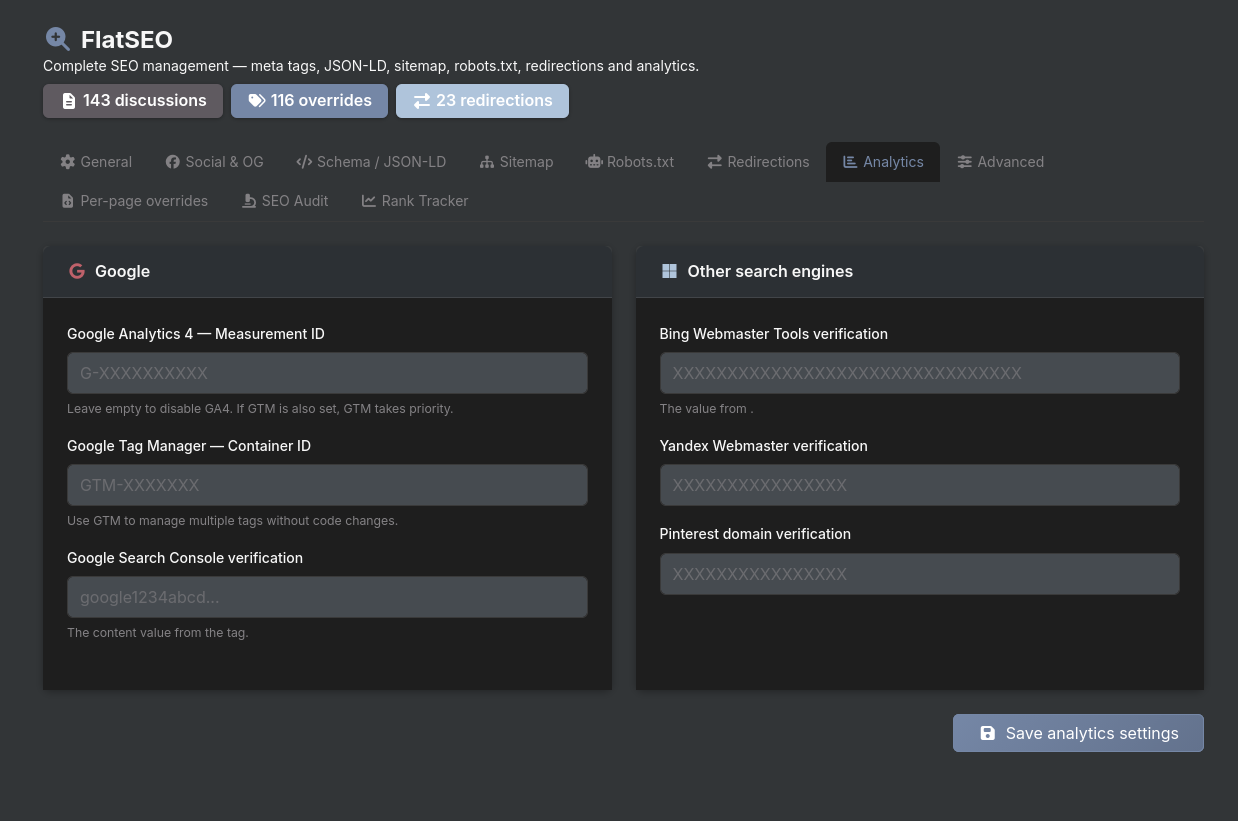
| Analytics | Google Analytics 4, Google Tag Manager |
| Verification | Google, Bing, Yandex, Pinterest |
| Indexing | Noindex rules for search, profiles, tag pages |
| Audit | Automated SEO scoring across all discussions |
| Rank Tracker | Manual keyword position history with chart |
Installation
- Copy the
FlatSEO/folder into yourplugins/directory. - Go to Admin → Plugins and activate FlatSEO.
- Access the SEO panel at Admin → FlatSEO (or
/admin/seo).
No database migration required. All data is stored in plugins/FlatSEO/data/.
Feature Reference
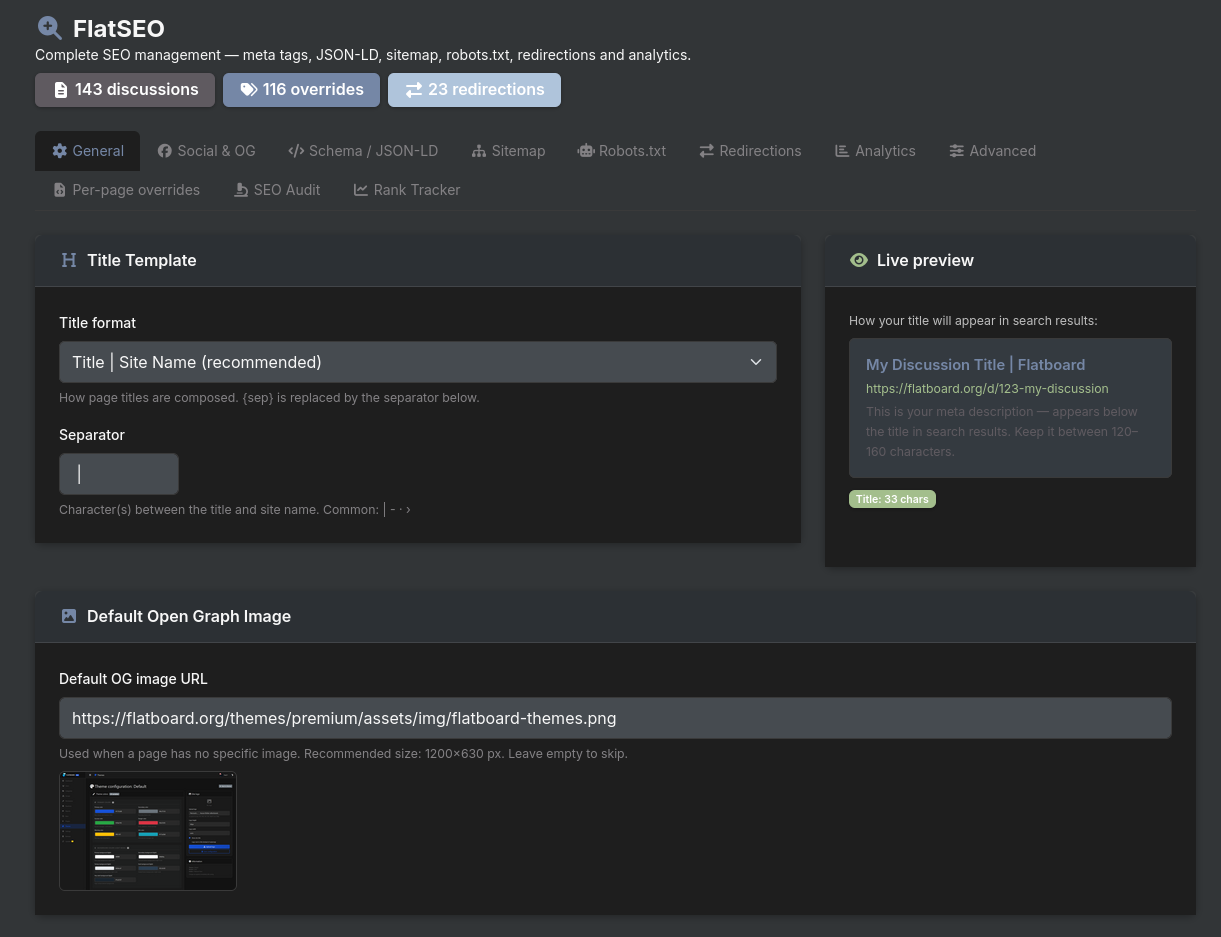
1. Title Management
Admin → FlatSEO → General tab
Controls how the <title> tag is built for discussion pages and other standard pages.
Format options:
| Format | Output example |
|---|---|
{title} {sep} {site_name} | My Discussion \| My Forum |
{site_name} {sep} {title} | My Forum \| My Discussion |
{title} | My Discussion |
Separator — configurable character(s) between the two parts. Common choices: | - · ›
The format applies to discussion pages and any page that doesn't have a more specific override (see below).
2. Homepage SEO
Admin → FlatSEO → General tab → Homepage section
Allows you to set a title and description for the homepage that are completely independent of the forum tagline configured in the forum settings.
| Field | Purpose |
|---|---|
| Homepage SEO title | Free text. Replaces the forum tagline in the <title> tag. Optimal: 30–60 chars. |
| Homepage description | Free text. Appears in Google search results. Optimal: 120–160 chars. |
Example:
Forum tagline (in forum settings): "The Association Machin forum"
Homepage SEO title: "Forum for passionate people in Brittany"
→ Google sees the second one; the tagline is unchanged everywhere else.
Leave both fields empty to fall back to the default behaviour (forum tagline as title, forum description as meta description).
3. Category Templates
Admin → FlatSEO → General tab → Category section
Applies a global pattern to all category pages automatically, without needing to configure each one individually.
Available token: {category} — replaced at render time by the human-readable category name.
| Field | Example value | Result for "Photography" category |
|---|---|---|
| Title template | Forum {category} — Brittany Discussions | Forum Photography — Brittany Discussions |
| Description template | Join Brittany enthusiasts discussing {category}. Share and grow. | Join Brittany enthusiasts discussing Photography. Share and grow. |
Priority: A per-page override (see below) always takes precedence over the global template. Use templates for the default, per-page for exceptions.
Leave both fields empty to use the global title format (section 1) and the category's native description.
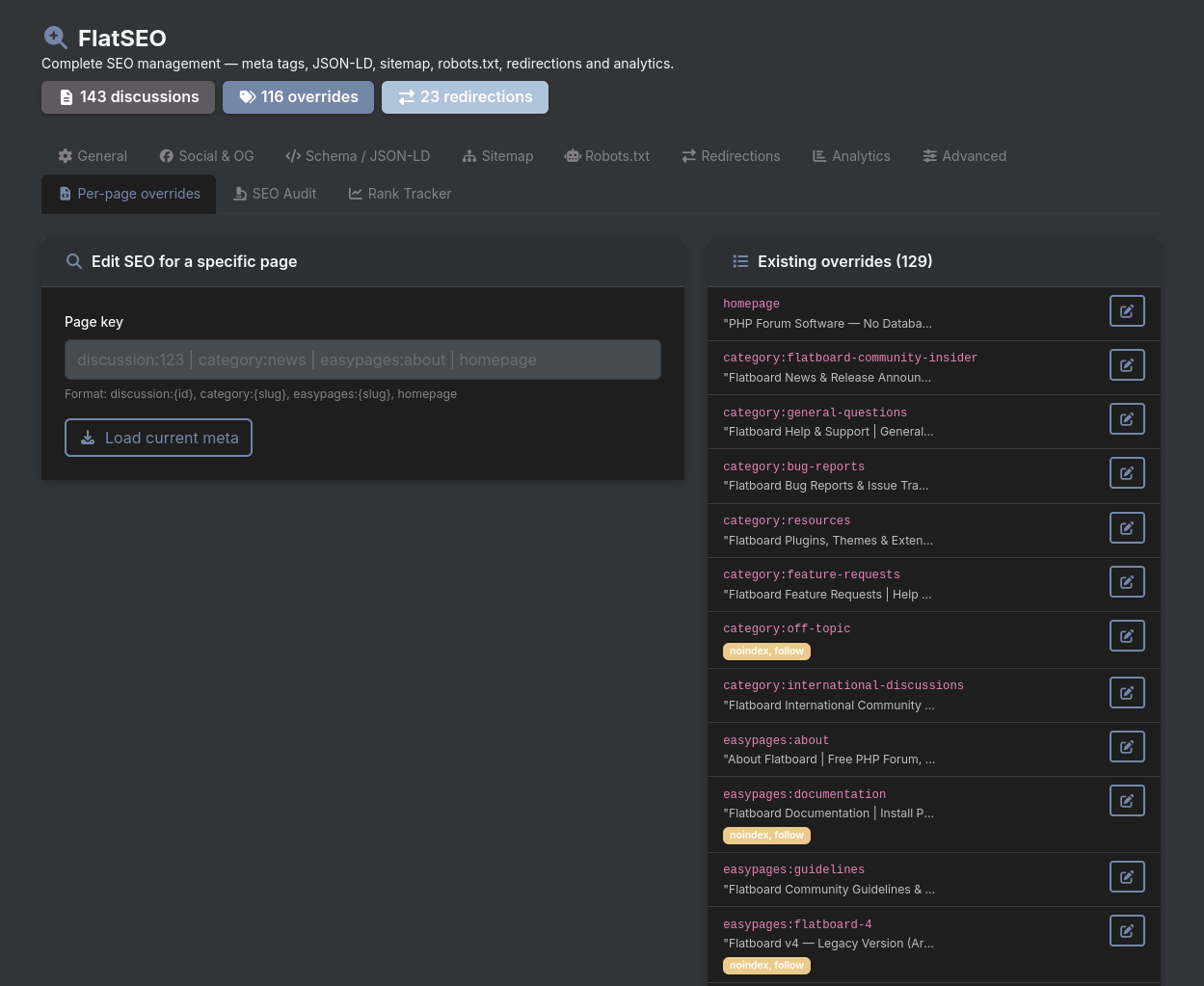
4. Per-Page Overrides
Admin → FlatSEO → Per-page overrides tab
Full SEO control for any individual page: title, description, canonical URL, OG image, social title/description, robots directive, and focus keyword.
How to use
- Enter the page key in the input field and click Load.
- Edit the fields that appear.
- Click Save override.
Page key format
| Page type | Key format | Example |
|---|---|---|
| Discussion | discussion:{id} | discussion:42 |
| Category | category:{slug} | category:photography |
| EasyPages page | easypages:{slug} | easypages:about-us |
| Homepage | homepage | homepage |
| User profile | user:{username} | user:alice |
| Search results | search | search |
| Tag page | tag:{slug} | tag:php |
Available fields per page
| Field | Description |
|---|---|
| SEO title | Custom <title>. Leave empty to use the template/default. Max 120 chars. |
| Meta description | Custom description tag. Optimal: 120–160 chars. |
| Canonical URL | Override the canonical link (useful for duplicate content). |
| OG image URL | Custom image for Facebook/Twitter previews for this page. |
| OG title | Social title, different from the SEO title if needed. |
| OG description | Social description, different from the meta description. |
| Robots | noindex, follow / index, nofollow / noindex, nofollow — per-page override. |
| Focus keyword | Comma-separated keywords. Used by the SEO score analyser. |
Live SEO score
Click Analyse SEO after filling the fields to get an instant score (0–100) with a letter grade (A–F) and a detailed checklist:
- Title length (optimal: 30–60 chars)
- Description length (optimal: 120–160 chars)
- Content word count (optimal: 300+ words)
- Focus keyword in title
- Focus keyword in description
- Keyword density (optimal: 1–3%)
- Image alt attributes
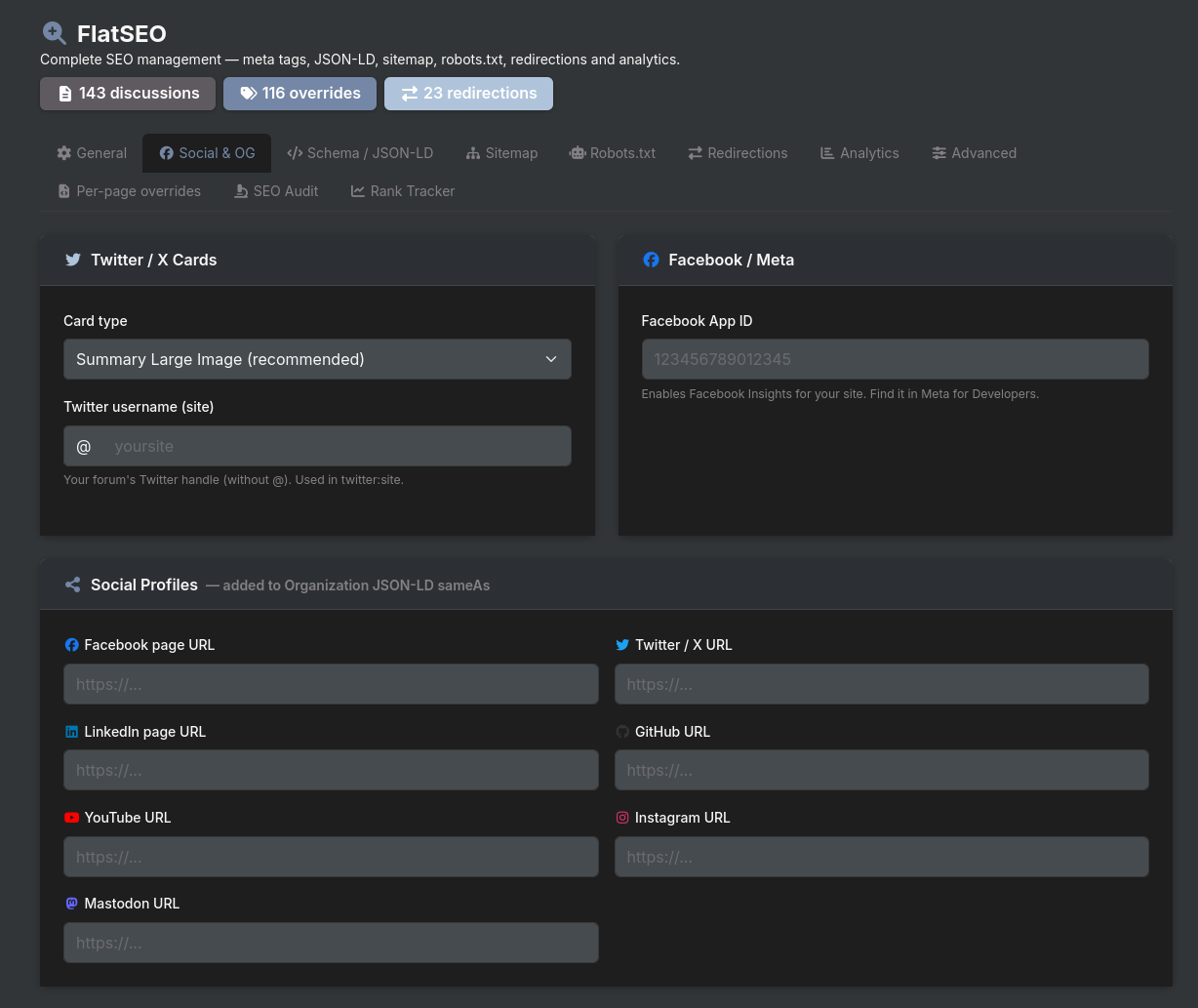
5. Open Graph & Social Cards
Admin → FlatSEO → Social & OG tab
Controls how pages are displayed when shared on social networks.
Twitter / X Cards
| Setting | Options |
|---|---|
| Card type | summary_large_image (large banner, recommended) / summary (thumbnail) |
| Twitter site handle | Your forum's Twitter/X username (without @) |
| Setting | Description |
|---|---|
| Facebook App ID | Enables Facebook Insights for your domain. Found in Meta for Developers. |
Social profiles
URLs registered as sameAs properties in the Organization JSON-LD schema. Supported networks: Facebook, Twitter/X, LinkedIn, GitHub, YouTube, Instagram, Mastodon.
Default OG image
Admin → FlatSEO → General tab
Fallback image used when a page has no specific image. Recommended size: 1200 × 630 px.
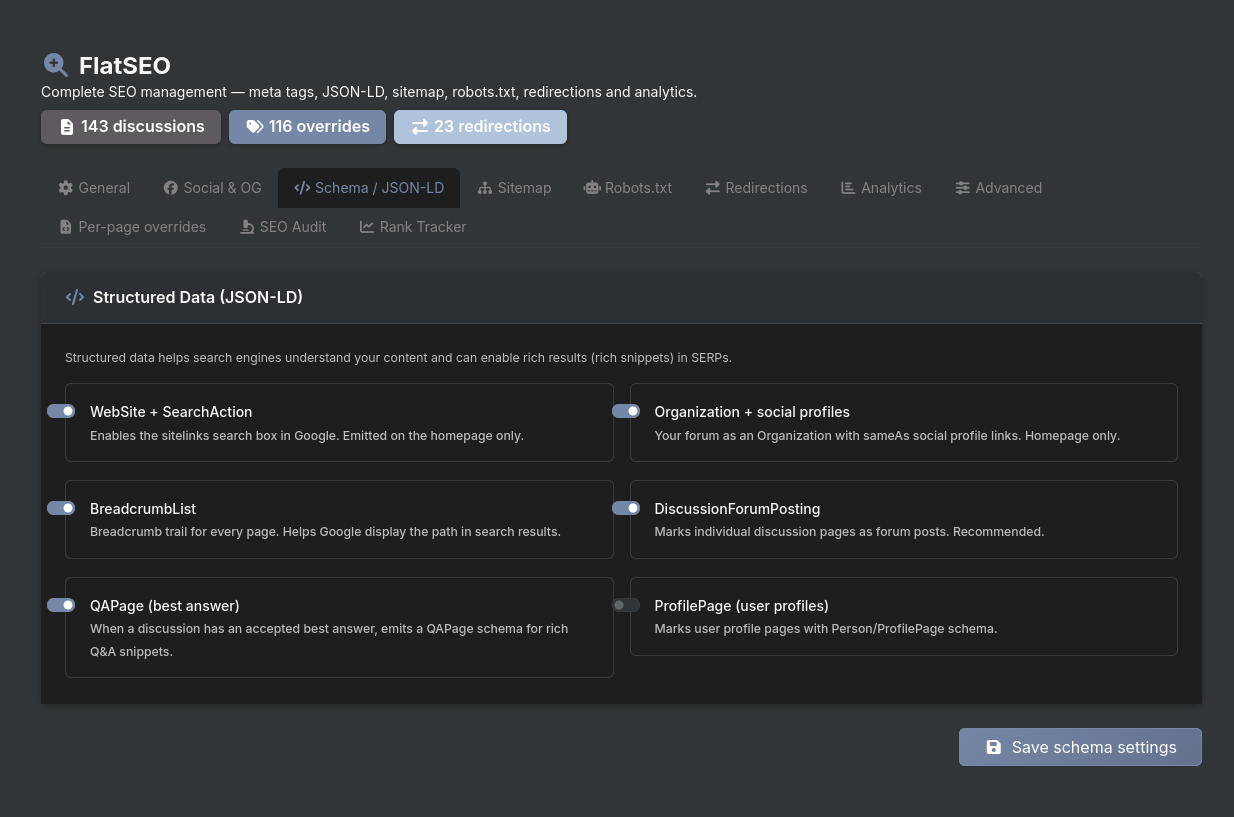
6. Structured Data — JSON-LD
Admin → FlatSEO → Schema / JSON-LD tab
Each schema type can be enabled or disabled independently.
| Schema type | Pages | What it does |
|---|---|---|
| WebSite + SearchAction | Homepage only | Enables the Google Sitelinks search box |
| Organization | Homepage only | Declares your forum as an organisation with social links (sameAs) |
| BreadcrumbList | All pages | Navigation trail in search results |
| DiscussionForumPosting | Discussion pages | Marks discussions as forum content for rich snippets |
| QAPage | Discussion pages with a best answer | Full Q&A schema with accepted answer |
| ProfilePage | User profile pages | Person/ProfilePage schema for member profiles |
All schemas are injected into the <head> via the seo.meta.after hook.
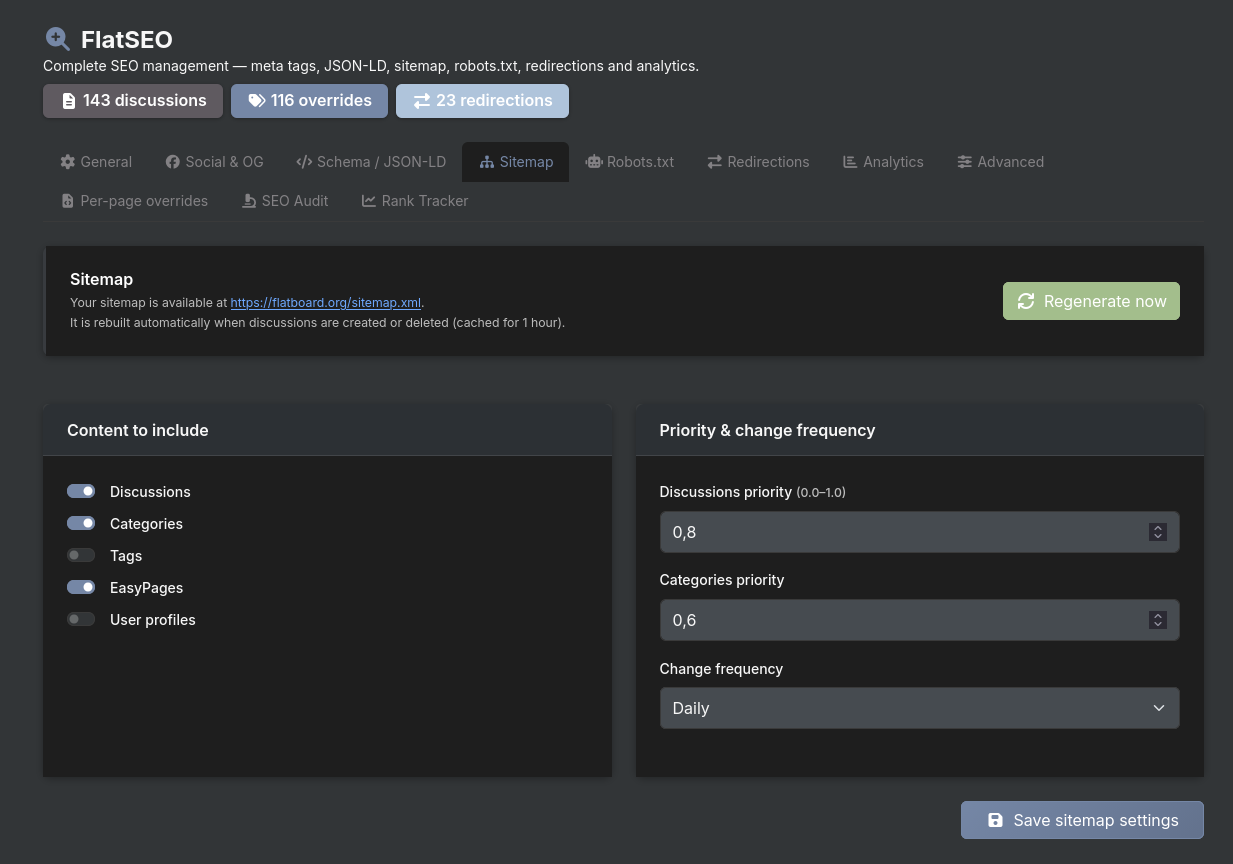
7. Sitemap XML
Admin → FlatSEO → Sitemap tab
FlatSEO overrides Flatboard's native /sitemap.xml route and generates a multi-file XML sitemap.
Structure
| URL | Content |
|---|---|
/sitemap.xml | Sitemap index listing all sub-sitemaps |
/sitemap-discussions.xml | All indexed discussion pages |
/sitemap-categories.xml | Category pages |
/sitemap-pages.xml | EasyPages static pages |
/sitemap-users.xml | User profile pages (optional) |
Configuration
| Setting | Description |
|---|---|
| Include discussions | Toggle discussions in the sitemap |
| Include categories | Toggle category pages |
| Include tags | Toggle tag pages |
| Include EasyPages | Toggle static pages (requires EasyPages plugin) |
| Include user profiles | Toggle user profile pages (disabled by default) |
| Discussion priority | Default 0.8 (0.0 – 1.0) |
| Category priority | Default 0.6 |
| Change frequency | always / hourly / daily / weekly / monthly / yearly / never |
Auto-invalidation
The sitemap cache is automatically cleared whenever a discussion is created, updated, or deleted. A manual Regenerate now button is also available.
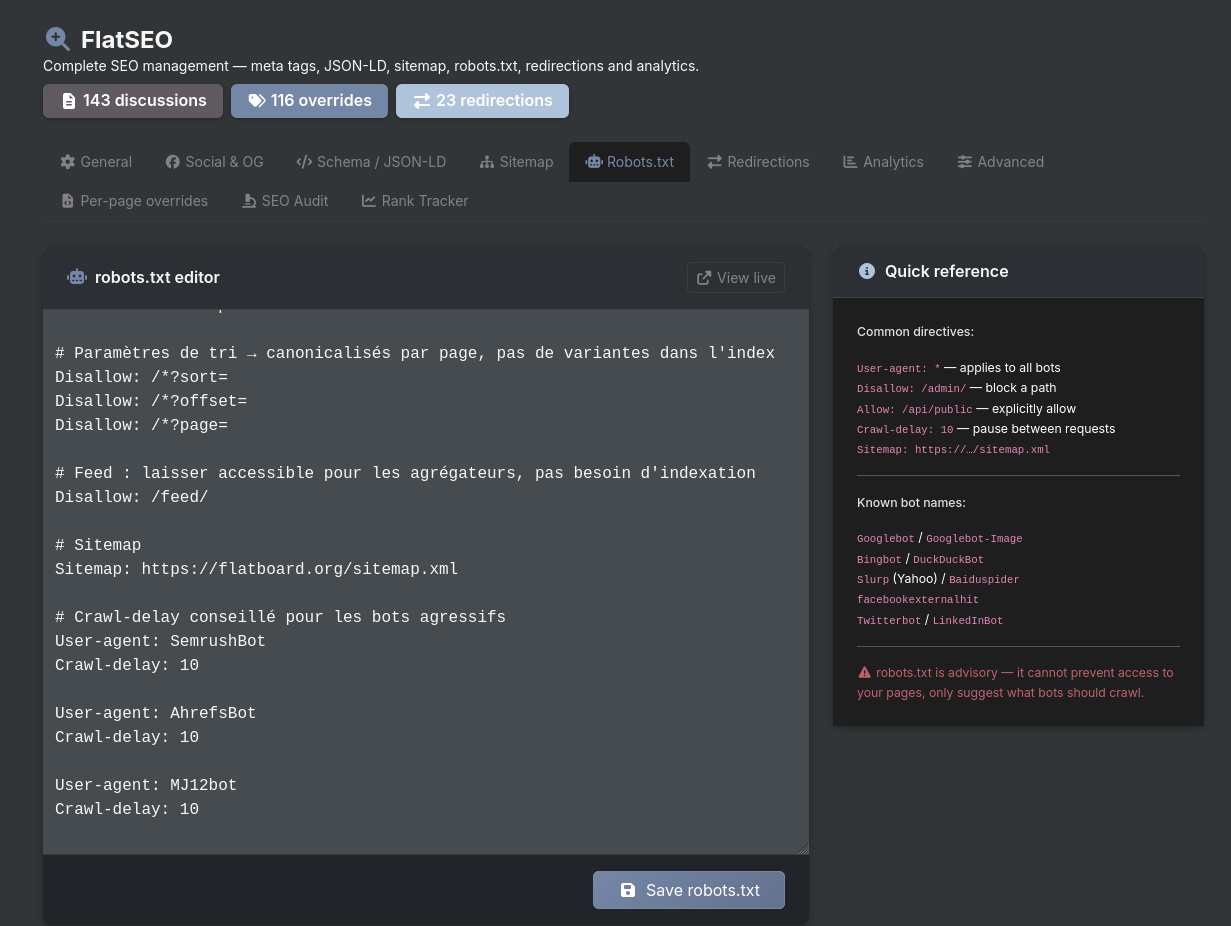
8. Robots.txt Editor
Admin → FlatSEO → Robots.txt tab
Full plain-text editor for your robots.txt file. Changes are saved to both the plugin's data directory and public/robots.txt for direct web server access.
The default content generated by FlatSEO:
User-agent: *
Allow: /

# Sensitive areas
Disallow: /stockage/
Disallow: /app/
Disallow: /admin/
Disallow: /api/
Disallow: /uploads/temp/

# SEO — avoid duplicate content
Disallow: /search

# Sitemap
Sitemap: https://yoursite.com/sitemap.xml
A quick-reference guide (common directives, known bot names) is displayed alongside the editor.
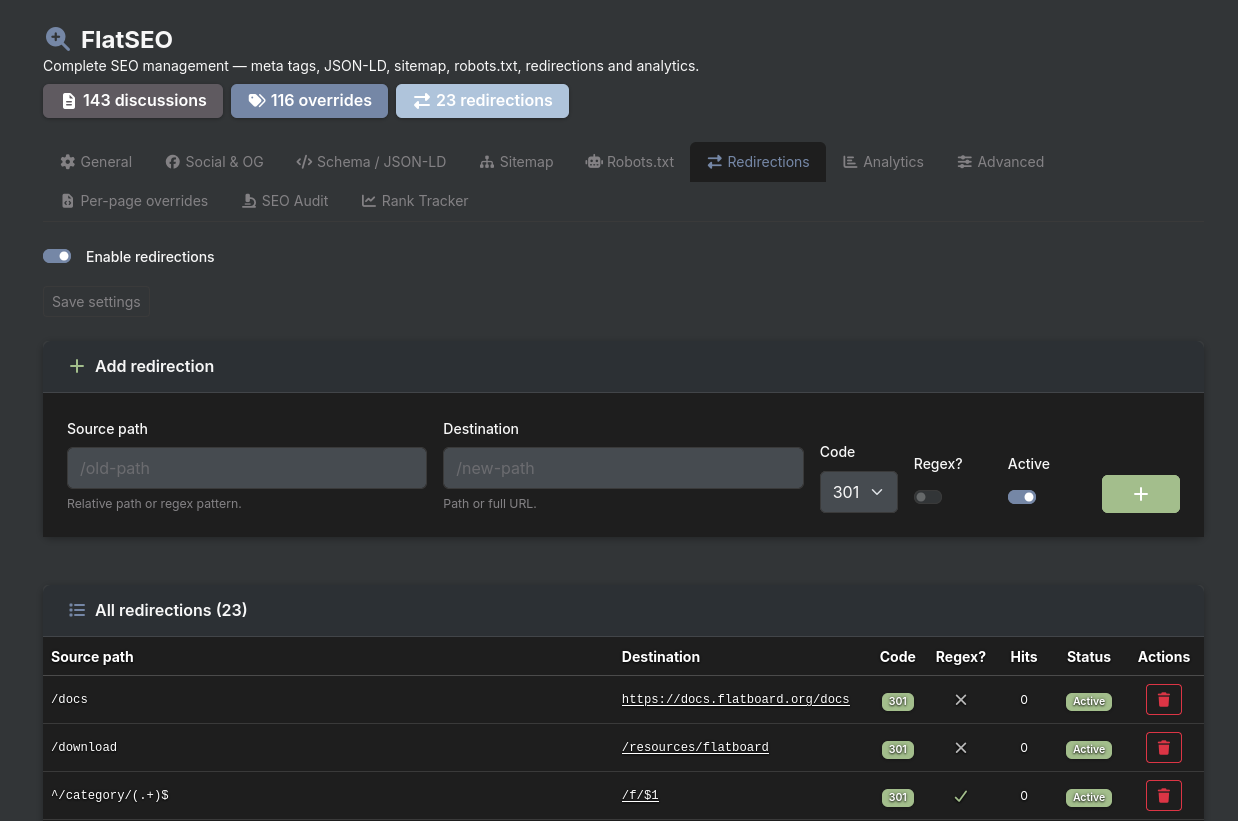
9. Redirections
Admin → FlatSEO → Redirections tab
Create and manage URL redirections without touching server configuration files.
Creating a redirection
| Field | Description |
|---|---|
| Source path | Relative path or regex pattern to match |
| Destination | Target path or full URL |
| HTTP code | 301 (permanent) / 302 (temporary) / 307 / 308 |
| Regex? | Toggle to treat the source as a regular expression |
| Active | Enable or pause the redirection without deleting it |
Regex support
When the regex toggle is on, back-references ($1, $2…) can be used in the destination:
Source:      ^/old-category/(.+)$
Destination: /f/$1
Hit counter
Each redirection tracks how many times it has been triggered. Useful for identifying still-active old URLs.
10. Analytics & Verification
Admin → FlatSEO → Analytics tab
Google Analytics 4
Enter your Measurement ID (G-XXXXXXXXXX) to automatically inject the GA4 snippet before </body>.
Google Tag Manager
Enter your Container ID (GTM-XXXXXXX). GTM takes priority over raw GA4 — if both are configured, only GTM is injected.
Search engine verification
| Service | Meta tag injected |
|---|---|
| Google Search Console | <meta name="google-site-verification" …> |
| Bing Webmaster Tools | <meta name="msvalidate.01" …> |
| Yandex Webmaster | <meta name="yandex-verification" …> |
<meta name="p:domain_verify" …> |
All verification tags are injected in <head> via the seo.meta.after hook.
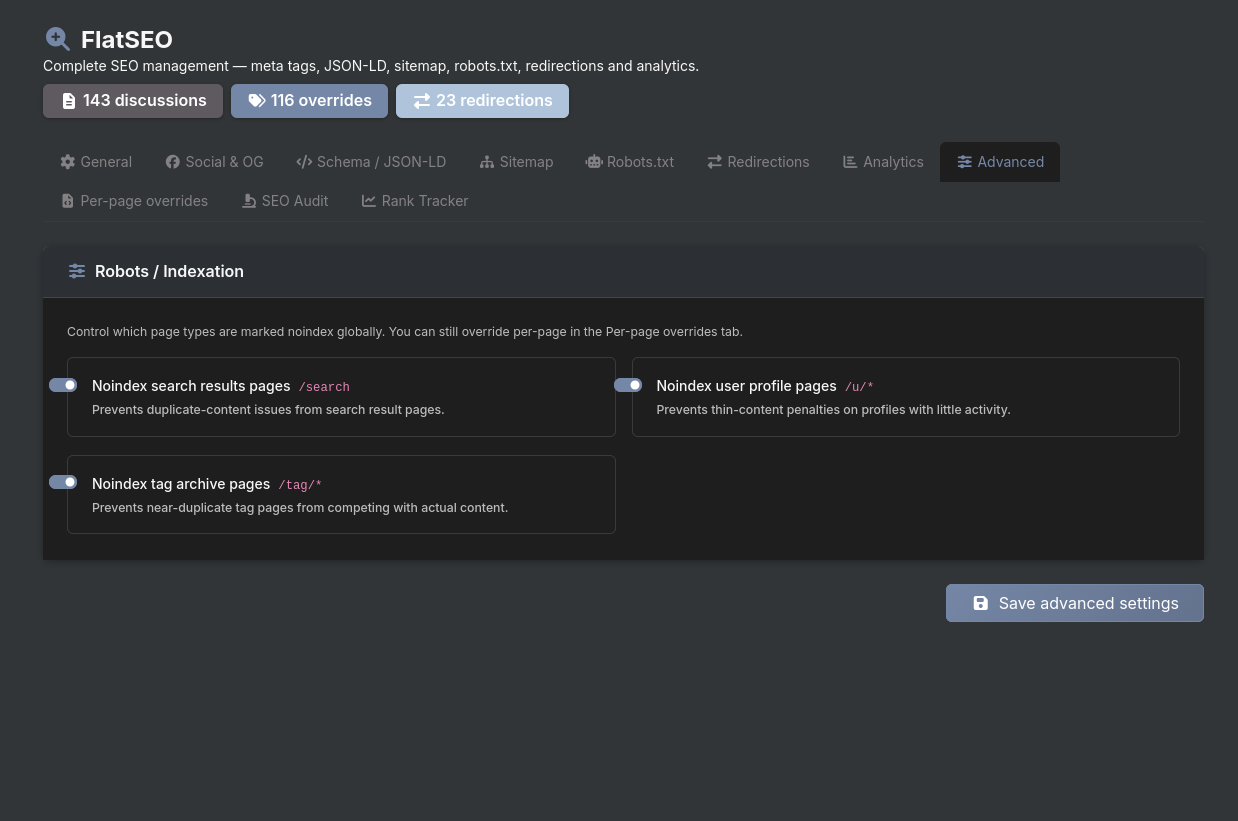
11. Noindex Rules
Admin → FlatSEO → Advanced tab
Global rules that automatically add noindex, follow to entire page types. Individual pages can still override this with a per-page robots setting.
| Rule | Pages affected | Default |
|---|---|---|
| Noindex search results | /search and all search URLs | ✅ Enabled |
| Noindex user profiles | /user/* and /u/* | ❌ Disabled |
| Noindex tag pages | /t/* | ❌ Disabled |
12. SEO Audit
Admin → FlatSEO → SEO Audit tab
Scans all discussions and produces a score for each one.
Running an audit
Click Run audit. FlatSEO fetches all discussions, analyses each one, and caches the results. On large forums (500+ discussions) this may take a few seconds.
Score system
Each discussion is scored out of 100 and assigned a letter grade:
| Grade | Score range |
|---|---|
| A | 80 – 100 |
| B | 60 – 79 |
| C | 40 – 59 |
| D | 20 – 39 |
| F | 0 – 19 |
Checks performed
- Title length (optimal: 30–60 chars)
- Meta description length (optimal: 120–160 chars)
- Content word count (optimal: 300+ words)
- Focus keyword present in title
- Focus keyword present in description
- Keyword density in content (optimal: 1–3%)
- Images with alt attributes
- noindex status
- Custom meta presence
Summary dashboard
The top of the audit page shows:
- Total discussions scanned
- Count of Good / OK / Bad / noindex pages
- Average score across all discussions
Filters
Filter results by: All / Good / OK / Bad / noindex / No custom meta. Text search by title or keyword.
Export
Download the full audit as a CSV file for use in spreadsheets or reporting tools.
Quick edit
Each row has an edit button that opens the Per-Page Override panel pre-loaded with that discussion's data, allowing immediate fixes.
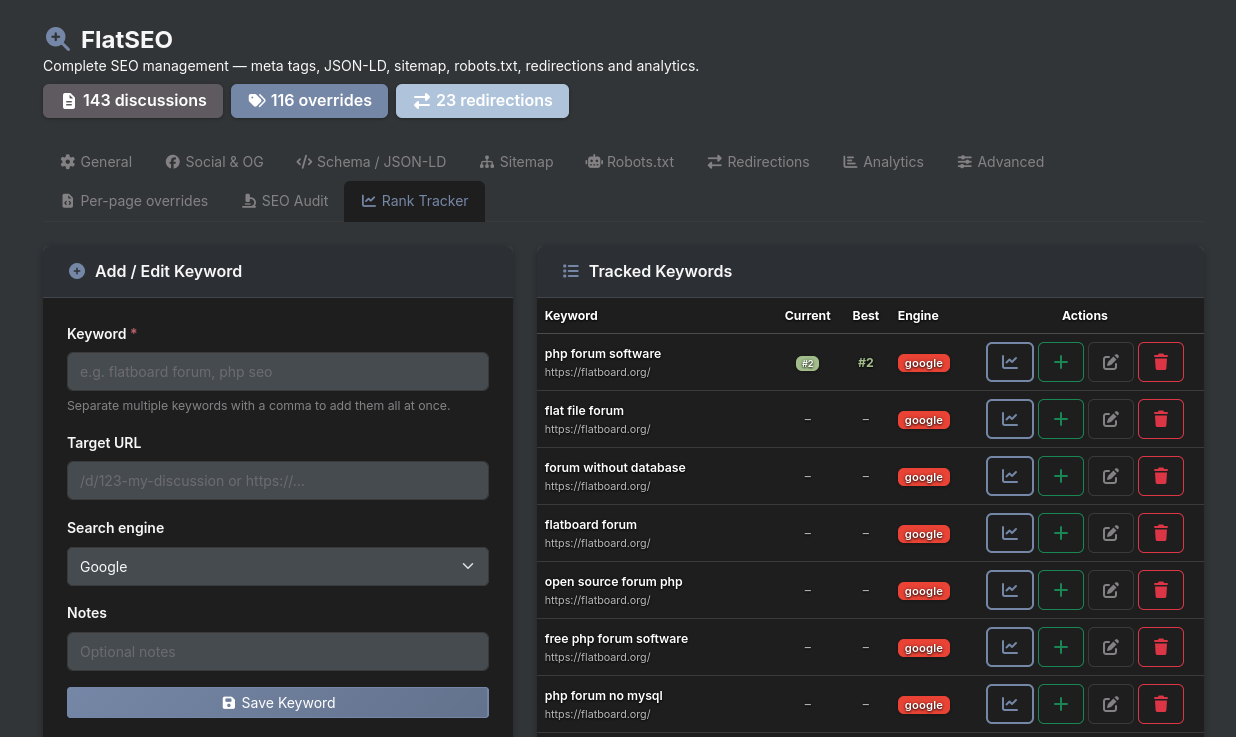
13. Rank Tracker
Admin → FlatSEO → Rank Tracker tab
A lightweight manual position tracker. Since automated SERP scraping is not available, positions are recorded manually.
Adding a keyword
| Field | Description |
|---|---|
| Keyword | The search term to track. Separate multiple keywords with commas to add them all at once. |
| Target URL | Optional. The specific page you expect to rank for this keyword. |
| Search engine | Google / Bing / DuckDuckGo / Other |
| Notes | Optional internal notes |
Recording a position
Click the + button on any tracked keyword, enter the position you observed in search results, select the date, and save. The position history is appended chronologically.
History chart
Click the chart icon to view a line chart of position history over time. The Y-axis is inverted (position #1=top=best). Points are colour-coded: green for top-3, blue for top-10, yellow for top-30.
Position badges
Current position is shown with a colour badge:
| Colour | Range |
|---|---|
| 🟢 Green | Position 1–3 |
| 🔵 Blue | Position 4–10 |
| 🟡 Yellow | Position 11–30 |
| ⚫ Grey | Position 31+ |
Priority Rules
When multiple sources could set the title or description for a page, FlatSEO applies this strict priority order:
1. Per-page override (highest — always wins)
2. Global homepage title/description (homepage only)
3. Global category template with {category} token (category pages only)
4. Global title_format template (all other pages)
5. Flatboard default (no FlatSEO intervention)
The same cascade applies to meta descriptions.
Page Key Reference
| URL pattern | Key | Type |
|---|---|---|
/ or /forums | homepage | Homepage |
/d/{id}-{slug} | discussion:{id} | Discussion |
/f/{slug} | category:{slug} | Category |
/u/{username} | user:{username} | User profile |
/page/{slug} | easypages:{slug} | EasyPages |
/search | search | Search results |
/t/{slug} | tag:{slug} | Tag page |
Data Storage
All plugin data is stored in plugins/FlatSEO/data/ — no external database required.
| File | Content |
|---|---|
post_meta.json | Per-page SEO overrides (indexed by page key) |
redirections.json | All defined redirections |
robots_custom.txt | Custom robots.txt content |
audit_cache.json | Latest audit results cache |
rank_tracker.json | Tracked keywords and position history |
Global settings (title format, separator, JSON-LD toggles, etc.) are stored in Flatboard's main config under the plugins.flatseo.* namespace.
Hooks Used
FlatSEO registers itself on the following Flatboard hooks:
| Hook | Purpose |
|---|---|
seo.meta.before | Modify $title, $description, $image, $canonical, $extra by reference before <head> is rendered |
seo.meta.after | Inject JSON-LD scripts and verification meta tags |
view.footer.scripts | Inject GA4 / GTM scripts before </body> |
app.routes.register | Override /sitemap.xml, /robots.txt, and register all /admin/seo/* routes |
view.admin.sidebar.items | Add the FlatSEO entry to the admin sidebar |
discussion.created | Invalidate sitemap cache |
discussion.updated | Invalidate sitemap cache |
discussion.deleted | Invalidate sitemap cache |
Edited on Mar 17, 2026 By Fred .